Verify the script and cookies
- Go to your e-com site.
- Open the developer console and go to Sources.
- Search for
analyticsand confirm you are loading the expected script version, and the right one for your environment. - Go to Application → Cookies and select the site running the tracking.
- If you are identified or logged in, look for the
_vaIcookie. - If you are not identified, look for the
_vacookie.
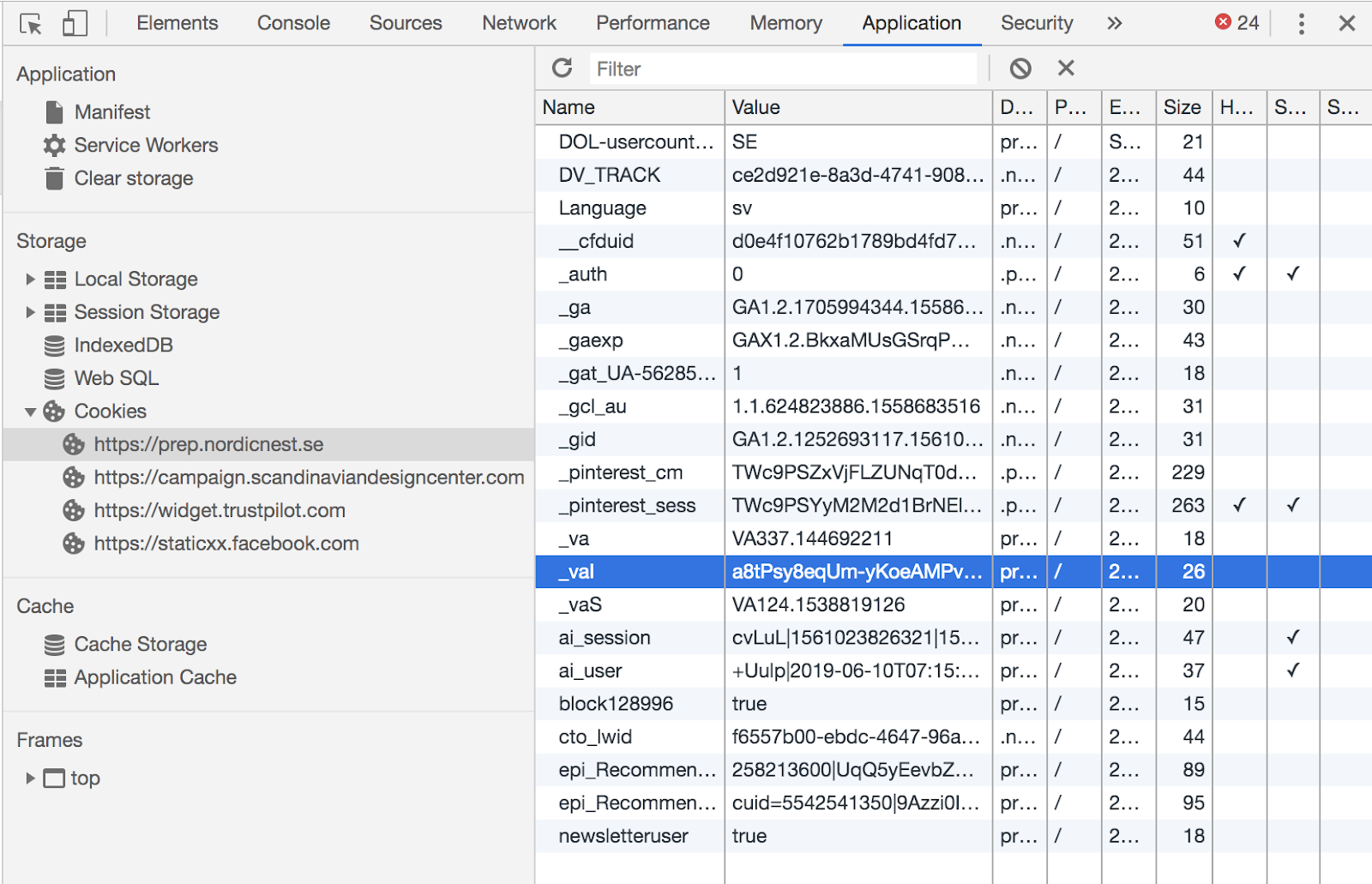
The _vaI cookie
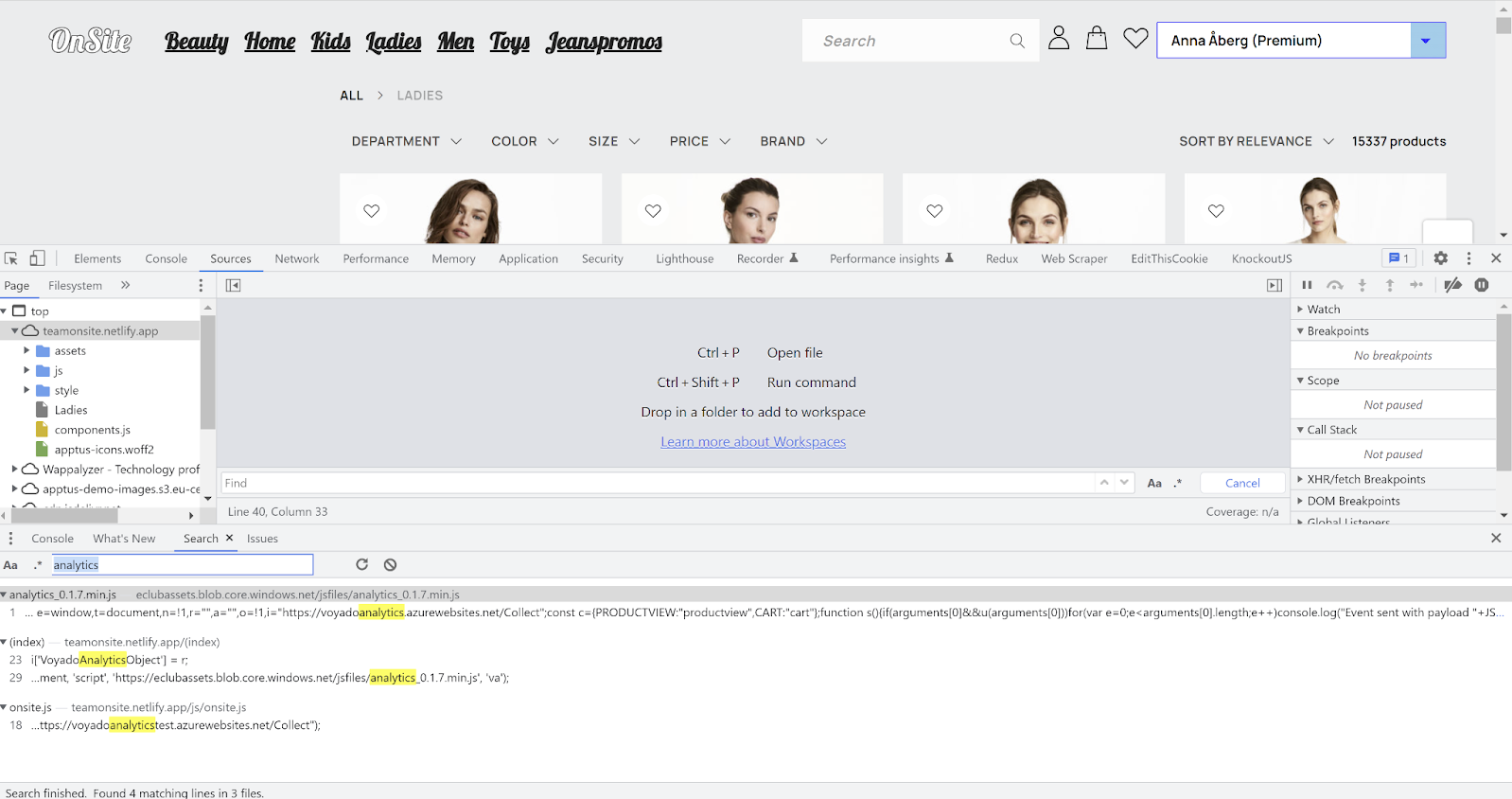
Tracking script used
Verify product views
- Go to your e-com site.
- Open the developer console, go to Network and select the Fetch/XHR tab.
- Visit any product on the site.
- You should see a call to the Collect endpoint.
- In the payload,
teshould be your tenant/account name. t(type) should beproductview.- If you are identified, check that
ciholds the same ID as the_vaIcookie — and nothing else.
The
locale in a product view payload does not have to match the locale in your cart payloads, and it is not used to identify anything. It does, however, need to match a product feed for abandoned browse to trigger.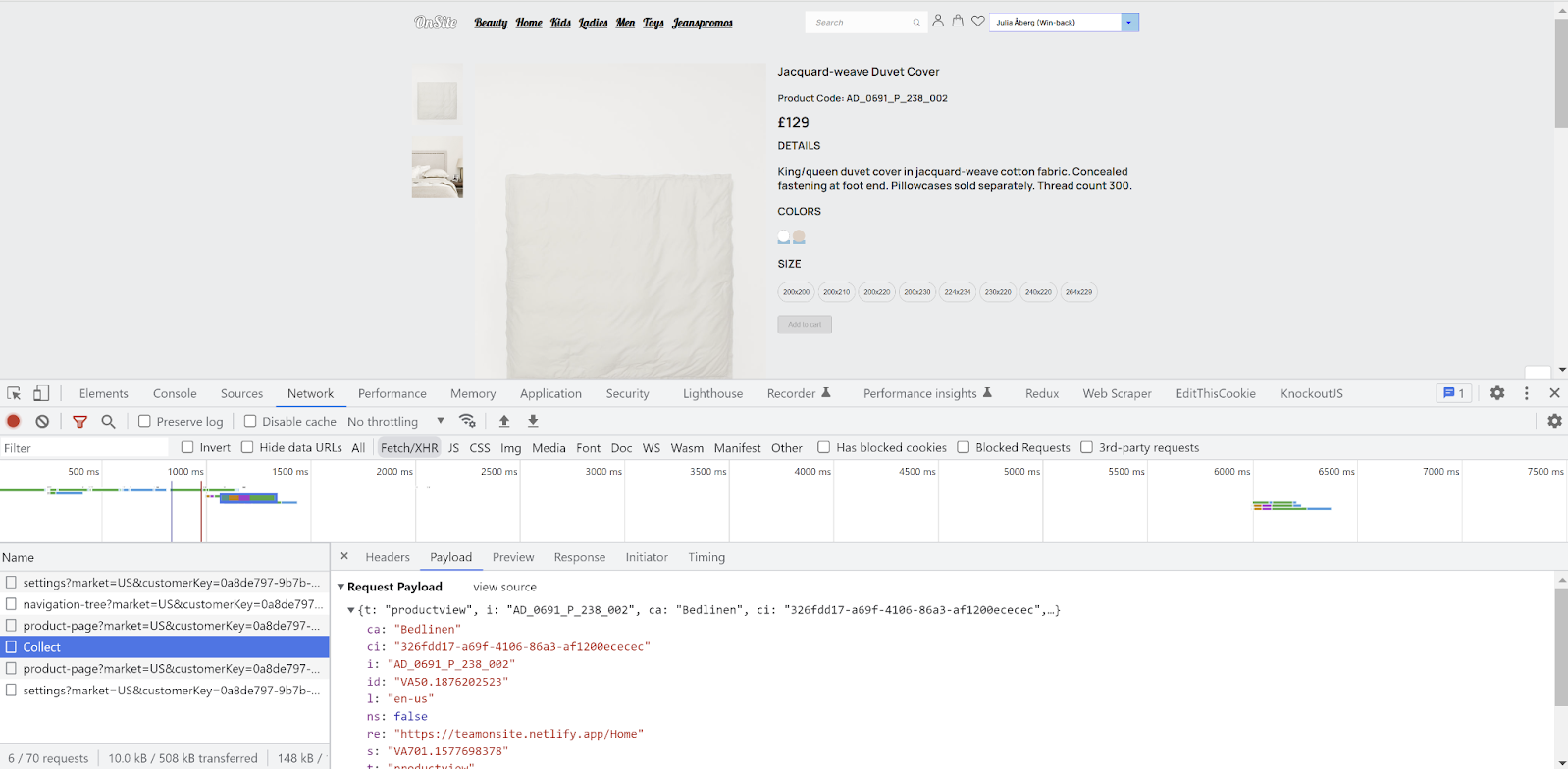
Finding the payload
Verify cart changes
- Go to your e-com site.
- Open the developer console, go to Network and select the Fetch/XHR tab.
- Place an item in the cart.
- You should see a call to the Collect endpoint.
- In the payload,
t(type) should becart. Check theitems[]array against what’s actually in your cart. - If possible, complete the purchase.
- A new Collect event should fire with an empty cart, confirming the purchase was registered.
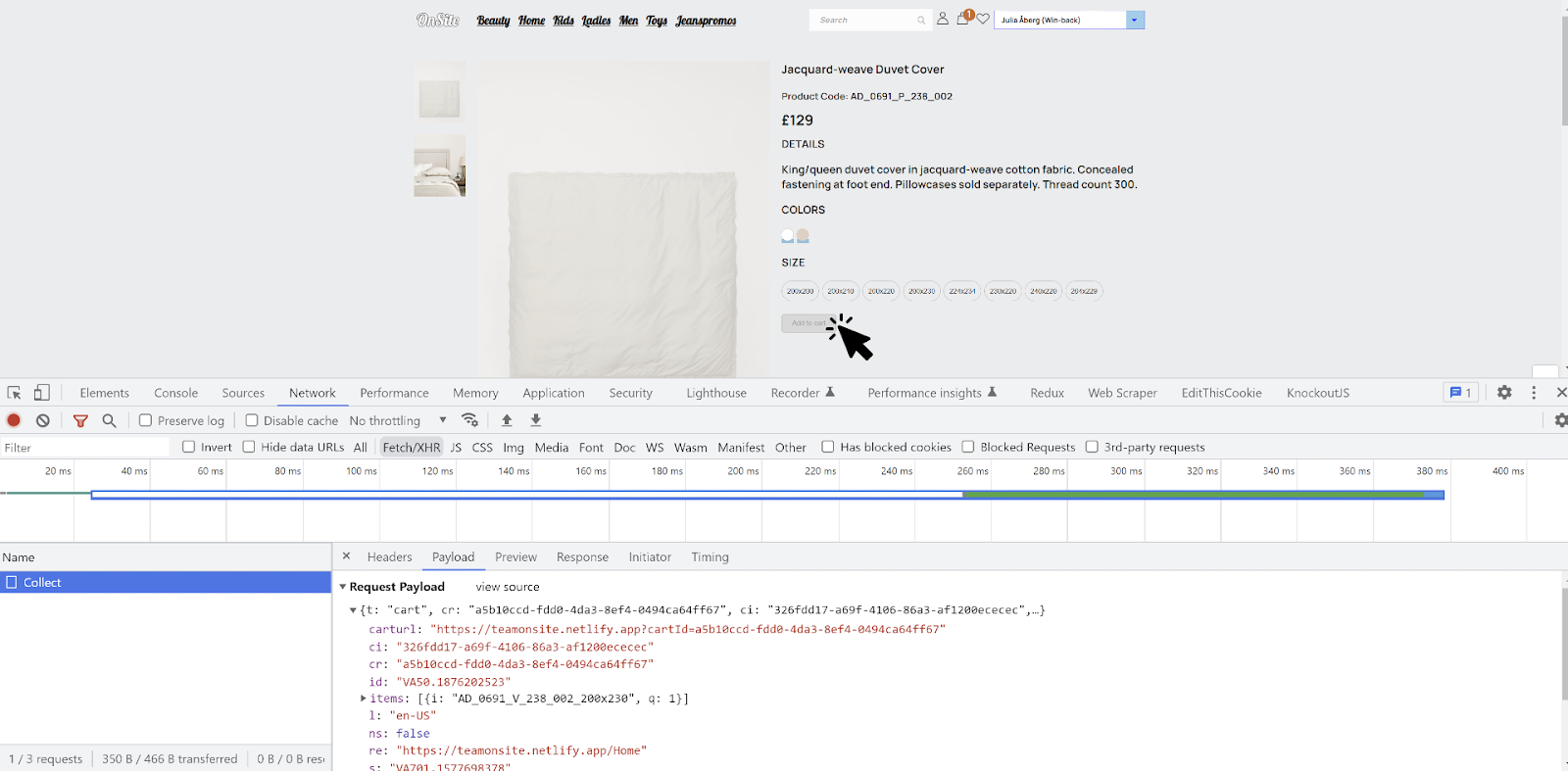
Verify tracking cart changes
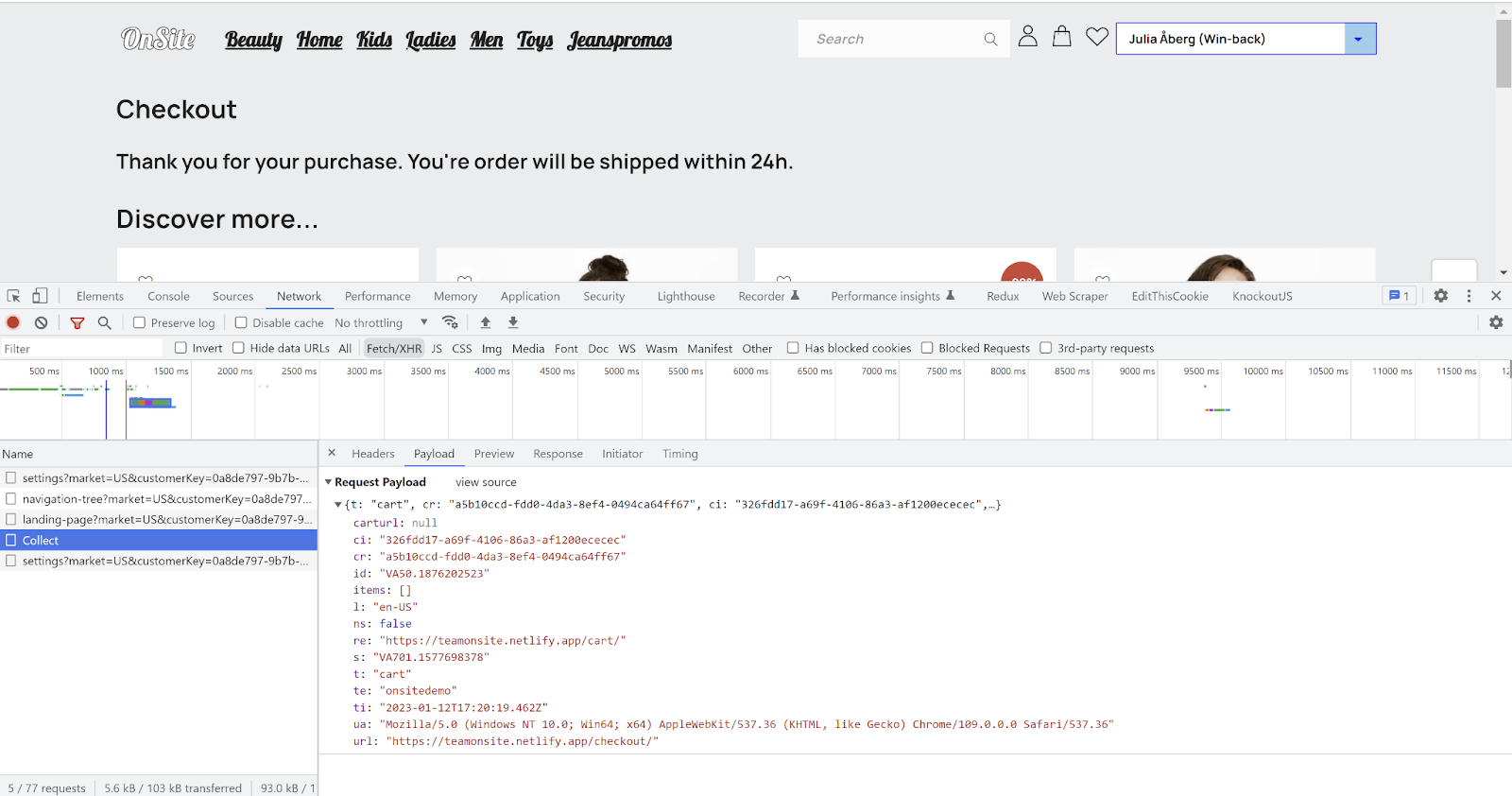
Verify tracking cart changes
Checklist: script and identification
1
The script loads on non-product pages
The script must load on landing pages, category pages and any other non-product page. If an email link lands on a page without the script, identification fails.
2
No empty events on page load or navigation
Confirm that simply loading or navigating between pages sends no events.
3
Events are sent for anonymous visitors
Events should be sent when no
_vaI cookie exists. Customer Engagement connects anonymous events to a contact once they are identified.4
Email-link identification works
Arrive via an email link and confirm events are sent and
_vaI is set correctly. A visitor can be identified without being logged in.5
Login identification works
Log in and confirm that
setContactId() sets _vaI correctly and that events are sent with the identification in place.6
Trailing slashes don't break identification
_vaI should be set whether or not the URL has a trailing slash.- With:
www.site.se/?vtid=LTq-P1eRKU2s8CWc5KPe5w - Without:
www.site.se?vtid=LTq-P1eRKU2s8CWc5KPe5w
_vaI is not cleared.7
A new vtid overwrites the old one
_vaI should update when a different vtid is used. Set vtid to a4fa7a46-23b0-4523-b09c-5462053e7627, then change it to 3fbe3a2d-9157-4d29-acf0-259ce4a3dee7 and confirm the cookie follows.8
sessionId is present in the payload
Abandoned browse will not trigger without it. The script adds it automatically; if you use the tracking API, you must add it yourself.
9
The script matches the environment
Running the production script in staging, or the staging script in production, means no tracking at all.
Checklist: cart tracking
1
Cart events carry the correct locale
The cart’s locale must match both a product feed in Customer Engagement and the language version of the site, if you run a multimarket site.
2
Cart updates outside checkout
Try every way of changing the cart: add an item, remove an item, change quantity, empty it. Does the quantity update when the same item is added a second time? What happens when you remove the last item? Carts can usually be updated from the product page and a popup as well — and sites built as SPAs tend to behave inconsistently.
3
Cart updates inside checkout
Checkout usually behaves differently from the rest of the site. Is there a difference between setting quantity to zero and removing the item? What happens when all items are removed? Can you add new items from checkout? Does any of it differ with and without
vtid?4
Moving in and out of checkout
Update the cart on both the checkout page and elsewhere, moving back and forth. Confirm no incorrect or duplicate events are sent.
5
emptyCart() fires after a completed purchase
Without this, the cart stays populated in Customer Engagement and can trigger an abandoned cart email to someone who already bought.
Checklist: product views and products of interest
1
itemId matches the SKU in the article register
To detect whether a purchase followed a product view, Customer Engagement matches the
itemId from the view against the SKU in the article register on the receipt.2
No duplicate events for the same SKU
A product page should fire one
productview per unique itemId/SKU. Several events on one page are fine only if they are for different SKUs.3
Product views fire however the page is reached
Product pages can be reached from the landing page, checkout, another product page, the menu or the cart. Test each route. Sites built as SPAs don’t do full page loads, which frequently causes events to be missed.
Common implementation errors
- A cart event isn’t sent for every update. Every change — add, remove, quantity change, empty — must generate a cart event to the Collect endpoint. These changes happen in different contexts (product page, cart popup or sidebar, checkout) that often behave differently.
-
The
cartRefchanges for the same cart.cartRefmust be unique per cart and identical across all of that cart’s events. Invalid or changedcartRefvalues on remove-product and empty-cart events are a frequent cause of missing abandoned cart emails. -
Duplicate cart or product view events. One cart update should produce exactly one cart event, and actions that aren’t cart updates (such as page loads) should produce none. A product page should produce no more than one
productviewper unique SKU.
Common identification errors
-
The
_vaIcookie is cleared after being set byvtid. A visitor identified by an email link is identified without being signed in. CallingsetContactId()with an empty or null value in that state wipes the identification. Only call it when your site has actually identified someone. - No cart or product view events before checkout or sign-in. Don’t limit events to the checkout page, or to signed-in visitors. Anonymous events are connected retroactively.
-
_vaIisn’t set when the email link ends in a slash. Some websites strip trailing slashes without preserving the query string, sovtidis lost. For examplewww.mysite.com/myproduct/?vtid=uaz2QuT9NEez_eAsr8hEeQbecomeswww.mysite.com/myproduct.