

A webhook can be seen as a reverse API. Instead of a user polling an API endpoint in a system (Engage, for example) to check for new data, the user can instead configure an URL in that system that can be called only when there is new data. This, essentially, is a webhook. Structurally, a webhook is just a HTTP POST to an open API. They are simpler than an API endpoint, but have less functionality. Webhooks, for example, don’t allow pushing, deleting or updating data in another system, only receiving data. When you’re only sending specific data occasionally webhooks might be a good solution. The advantages of webhooks are therefore:Documentation Index
Fetch the complete documentation index at: https://developer.voyado.com/llms.txt
Use this file to discover all available pages before exploring further.
- A simpler integration
- Less data being passed
- No polling needed
- Updates only sent when changes happen
Webhooks currently available
Currently these webhooks can be used in Engage:Contact preferences for email changed
Contact preferences for email changed
This webhook with the ID
contact.acceptsEmail.changed is triggered whenever the acceptsEmail preference changes for an already existing contact.Contact preferences for SMS changed
Contact preferences for SMS changed
This webhook with the ID
contact.acceptsSms.changed is triggered whenever the acceptsSms preference changes for an already existing contact.Contact preferences for postal changed
Contact preferences for postal changed
This webhook with the ID
contact.acceptsPostal.changed is triggered whenever the acceptsPostal preference changes for an already existing contact.Contact consent changed
Contact consent changed
The webhook with the ID
contact.consent.changed is triggered for changes in consent-typed fields on a contact.Points - added
Points - added
This webhook with the ID
loyalty.addPoints is triggered whenever points are added to a contact via the Engage UI or through an automation. The transaction is sent in the webhook.Points - balance updated
Points - balance updated
This webhook with the ID
point.balance.updated is triggered whenever a contact’s point balance has changed.Vouchers - created
Vouchers - created
This webhook with the ID
reward.voucher.created is triggered whenever a reward voucher is created for a contact.Multichannel promotion assigned
Multichannel promotion assigned
This webhook with the ID
promotion.multichannel.assigned is triggered when a multichannel promotion is assigned to a contact in Engage.Contact created
Contact created
This webhook with the ID
contact.created is triggered whenever a new contact is created in Engage.Contact updated
Contact updated
This webhook with the ID
contact.updated is triggered whenever a new contact is updated in Engage.Contact deleted
Contact deleted
This webhook with the ID
contact.deleted is triggered whenever a new contact is deleted in Engage.
See the webhook use-cases
Requirements
Here are the various requirements for working with webhooks in Engage.Basic client requirements
To receive webhooks from Engage you will need to develop and deploy a web service. This is basically an API with a POST endpoint. It’s common to use one service for all webhooks and then distributes the incoming events internally to your different systems. Your web service must be accessible over the internet. Fixed source IP addresses can be used if your endpoint is behind a firewall or NAT. There should be no authentication at the receiving endpoint. Instead, you’ll verify that the events received are sent from Voyado Engage using signatures and a shared signing secret. The service you provide must be able to scale with the load. Voyado’s webhooks service provider Svix has good documentation on how to consume webhooks.How to consume webhooks using Svix
Technical client requirements
You, the client, must develop functionality to verify the webhooks are from the correct sender.How to verify payload using Svix
Code libraries available for Svix
Read more soft identification
Legal requirements
Read about GDPR sub-processors
Security considerations
The security involved in using the webhooks solution can be seen as many nested layers.- The webhook itself: No security.
- Signing the webhook message with Signing Secret: The recipient can use this to verify that the webhook comes from Voyado. The Signing Secret is found in the portal (meaning that Svix controls it). The client can rotate the key whenever they want.
- IP lock: By using this, messages can only be accepted from specific IP addresses.
- Payload encryption: All data from Engage is encrypted with a key that only Voyado and the client know. It is configured in Engage, meaning that Svix cannot read any of the data that passes through it.
Setting up a webhook in Engage
Once you have created your webhooks, you’ll need to set them up in Engage. The steps are:Enable webhooks in Engage
Contact your Voyado account manager to enable webhooks in your Engage instance. Depending on your agreement, a supplement might be required. The webhooks module must then be activated in the Engage back-end, and the correct permissions granted to users.
Configure client endpoint
Now you’ll configure the client endpoint in the Engage UI.Go to Administration/Webhooks Dashboard to see the Webhooks already set up.Then select + Add Endpoint to add another.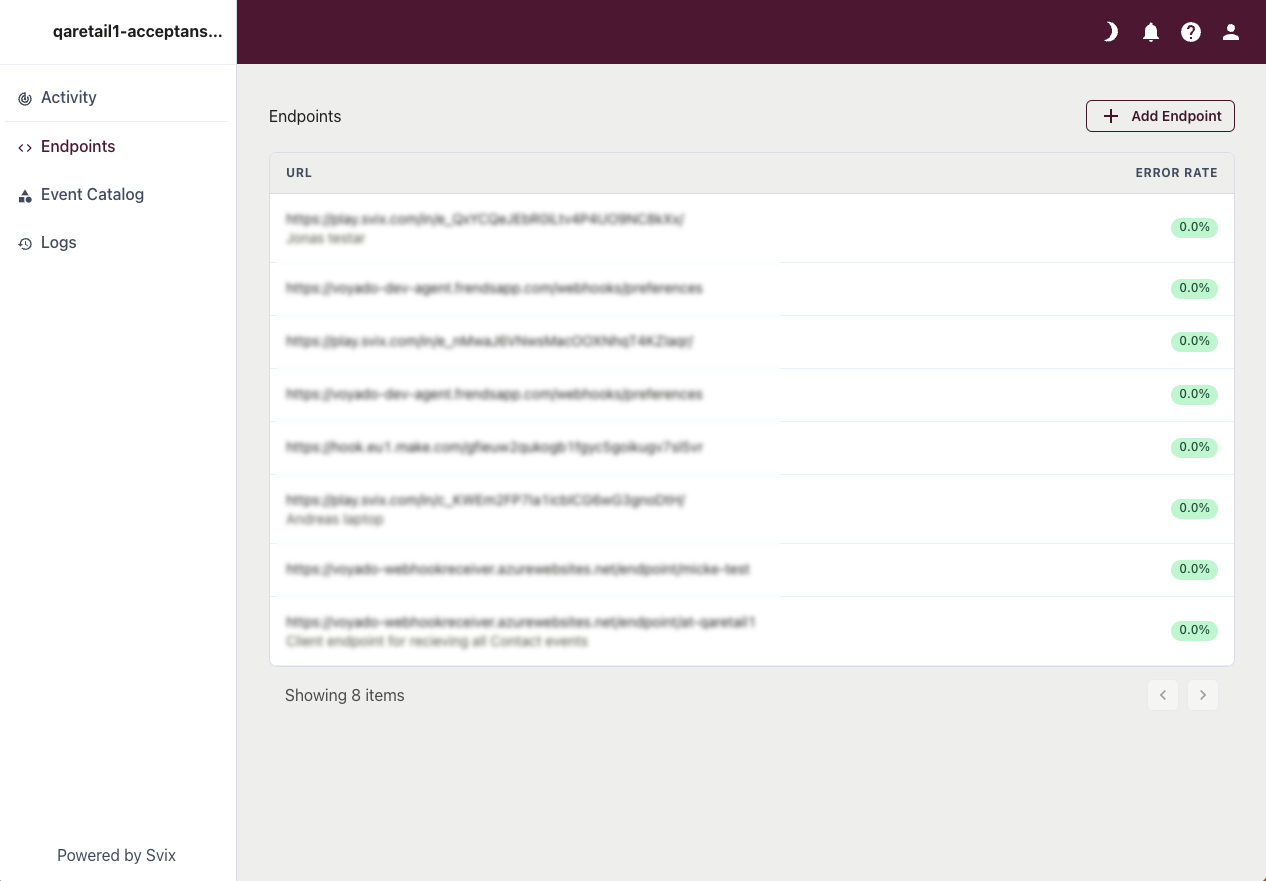
Choose events to use
After adding your endpoint, select it and then choose which event you want to send to it: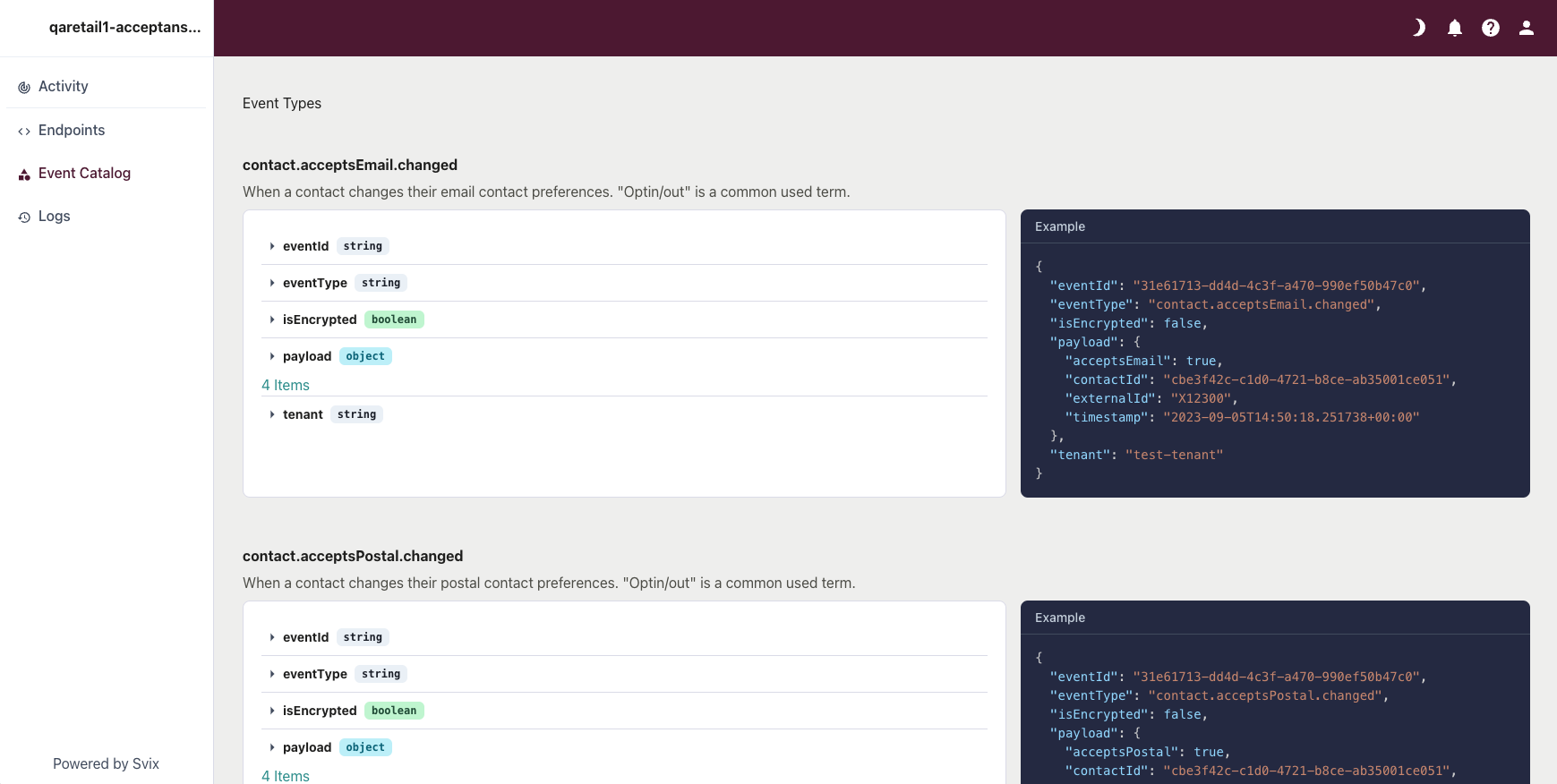
Add verification and encryption
Get the Signing Secret used for verification, as well as the Payload Encryption Key (if you are using it) from your Voyado account manager. When sending these to somebody else, be careful to use the same trusted method as when sharing API-keys. The signing secret is created and handled by Svix, and can be rotated if needed.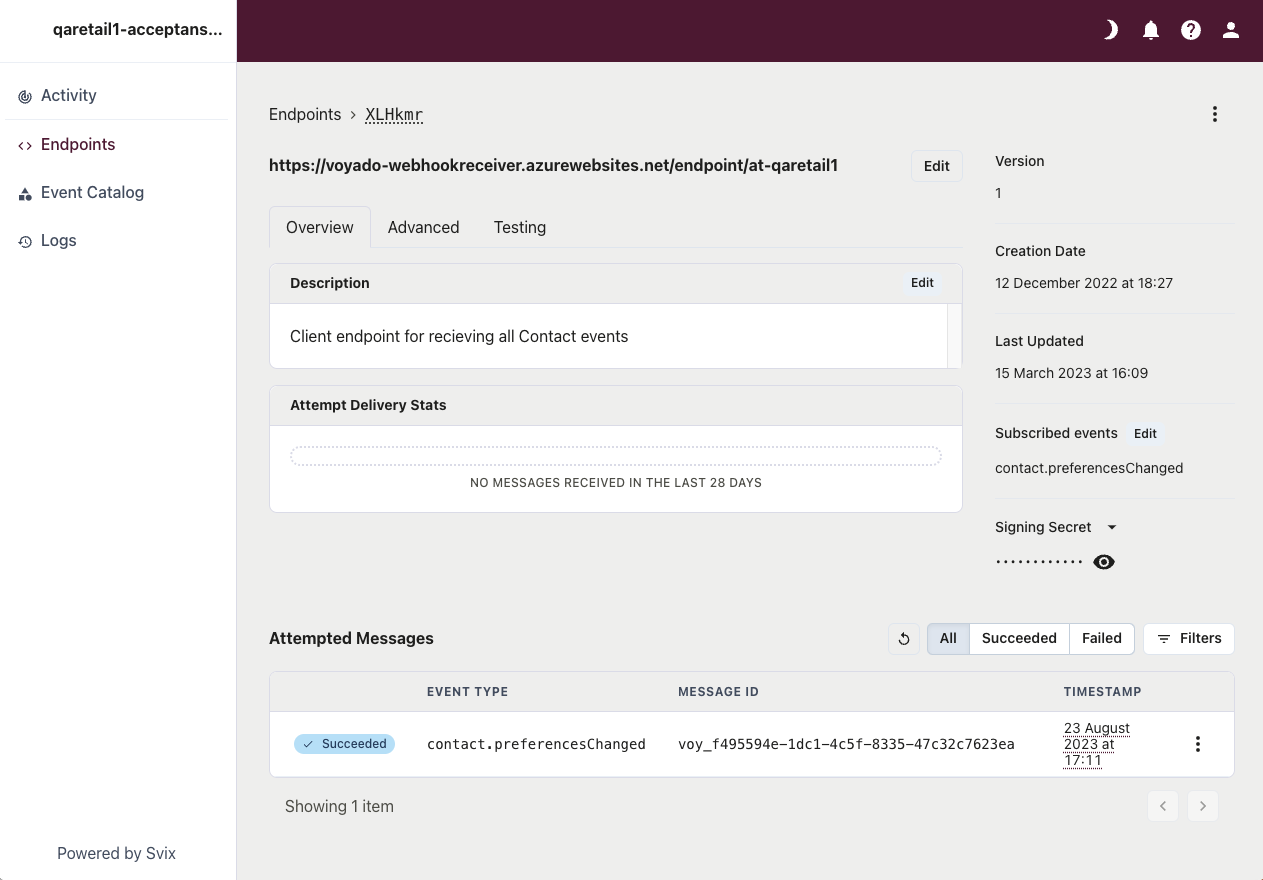
Test your webhook
You can use the “Testing” functionality in Svix to send test-events to the endpoint. Check the log for errors.
Configure a rate limit (optional)
If you need it, configure a rate limit so the client endpoint can handle the load.