

Bulk reading of contacts
You can get an array of contact IDs of all contacts that have been changed (created, updated or deleted) within a specified time window using this endpoint:String
required
Created, Updated, Deleted
DateTime
required
The start date and time of the search window.
DateTime
The end date and time of the search window.
Response
The response will look like this:All contacts changed within the given window
Bulk writing of contacts
To create multiple contacts at once, the contacts bulk API endpoint can be used:
Read about the API rate limit
Query string parameters
There are two optional parameters that can be added to the query string:Boolean
This prevents your bulk contact request from triggering the automatic BI and XML contact exports. The default value for this attribute is “false” so you only need to include this if you want it to be true. You can read more about this parameter here.
String
This allows you to specify the contact type of the contacts you are creating (or updating). If not specified, your default contact type configured in Customer Engagement will be used.
Read about avoidTriggeringExport
Creation payload
The data needed to bulk create contacts has the same requirements as when creating an individual contact using thecontacts endpoint. This means, at a bare minimum, that the key attribute must be included in the payload (in this case, it’s email).
Read about the recommended way to create contacts
Basic bulk contact creation payload
Consents and preferences
There is an important difference between creating contacts individually with thecontacts endpoint and creating them in bulk using the bulk endpoint discussed here.
In the bulk API case, the contact data is sent “flat”, as can be seen here for these two contacts:
Flat JSON structure for bulk contact creation
memberConsent is sent as an attribute and a value, not as an object. In Customer Engagement, this consent’s date attribute will be the date of the bulk import and the source will be set to “Import”.
However in the case of the single-call endpoint /api/v3/contacts the “consents” and “preferences” values are always sent as object arrays as can be seen here:
JSON structure for single contact creation
Update payload
When doing a bulk update through the API, you will need to specify the unique contact ID for each contact, along with the value or values you want to change.Sending null or empty values of fields in an update payload can have unpredictable results. Sometimes the current value will be overwritten, depending on the field type, and sometimes not. In general, do not send null or empty values unless you explicity want to change the field to that value, and even then it’s best to confirm the results first.
Bulk contact update
Full update payload example
Here is a full update payload with all the contact attributes you can send. In practice, you’ll rarely send all of these attributes at once in a contact update, and will just be updating some of them. The complete list shown here is just for reference.Full update payload example
Responses
If your request has been successful, you’ll get a 202: Accepted response. Your data is now ready for processing. A unique batch ID for your request will also be returned as a GUID. If the request has not been successful, you’ll get one of the following HTTP error codes:- 422: UnprocessableEntity
- 503: ServiceUnavailable
Status
Your batch job can take time to be processed. You can check the current status of the job by calling this endpoint with the batch ID:status attribute with one of these values:
- Received: Your payload has been received.
- InProgress: Processing of your data is in progress.
- Done: Your contacts should now be created / updated.
- The request is invalid: The batch ID you sent could not be found.
- Error: There was an error.
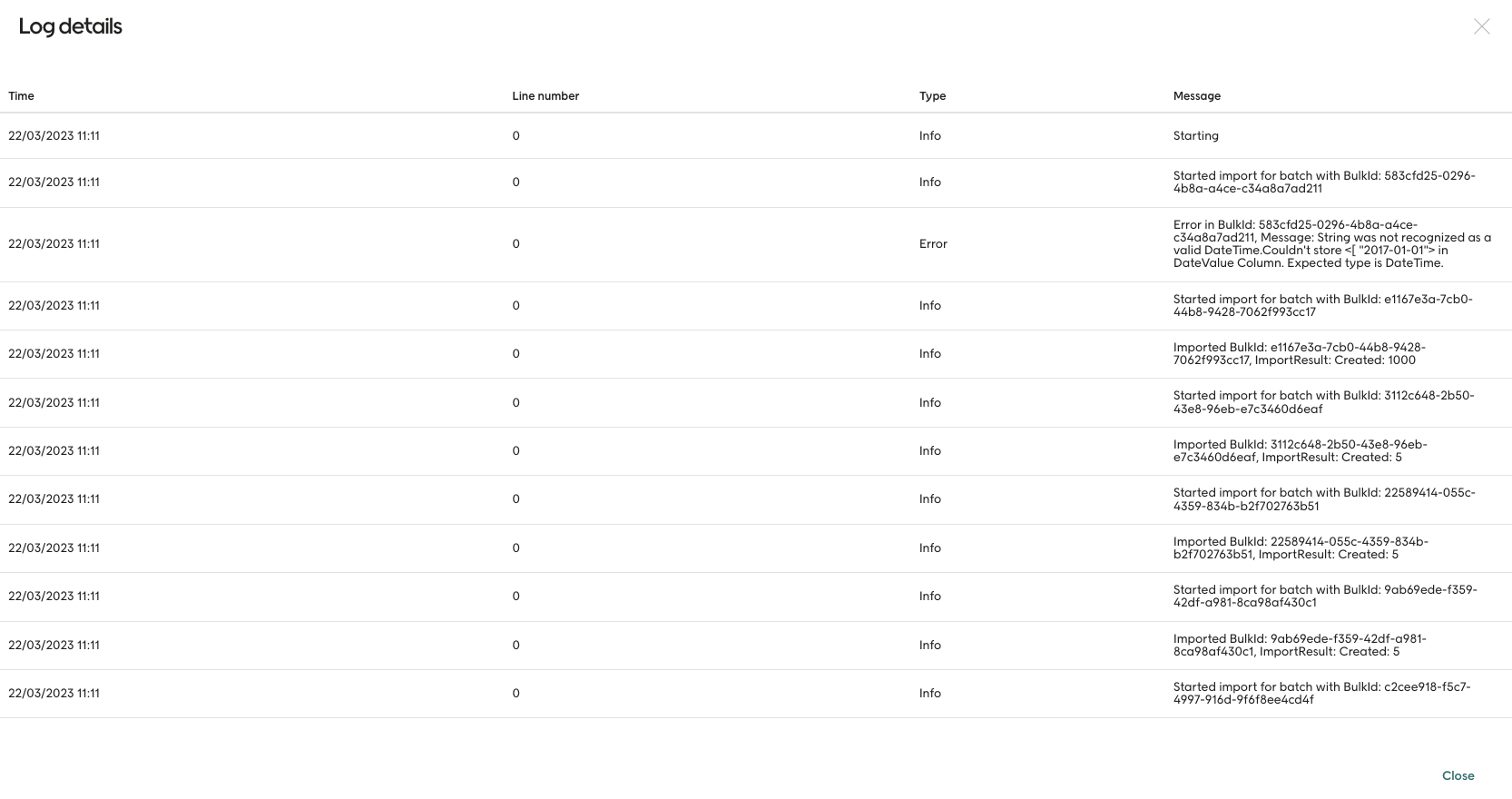
Batch process in the integration log
Read about the integration log
Starting the job
Once you get back a status of “Received” your data is ready to be processed. This happens on a schedule, so it might not be completed right away. Keep polling thestatus endpoint to see when it’s done.
Wrong contact type
If a bulk update contains a contact of the wrongcontactType, updating of that contact will be skipped and the job will continue.