

Product Data Model
An online retailer usually sells articles in multiple colors, styles, sizes, or configurations. Voyado Ratings & Reviews describes this using a three-level hierarchy:
Think of a women’s tops range.
- The different types of tops are product groups
- Different colours of the top are products
- The individual sizes are variants
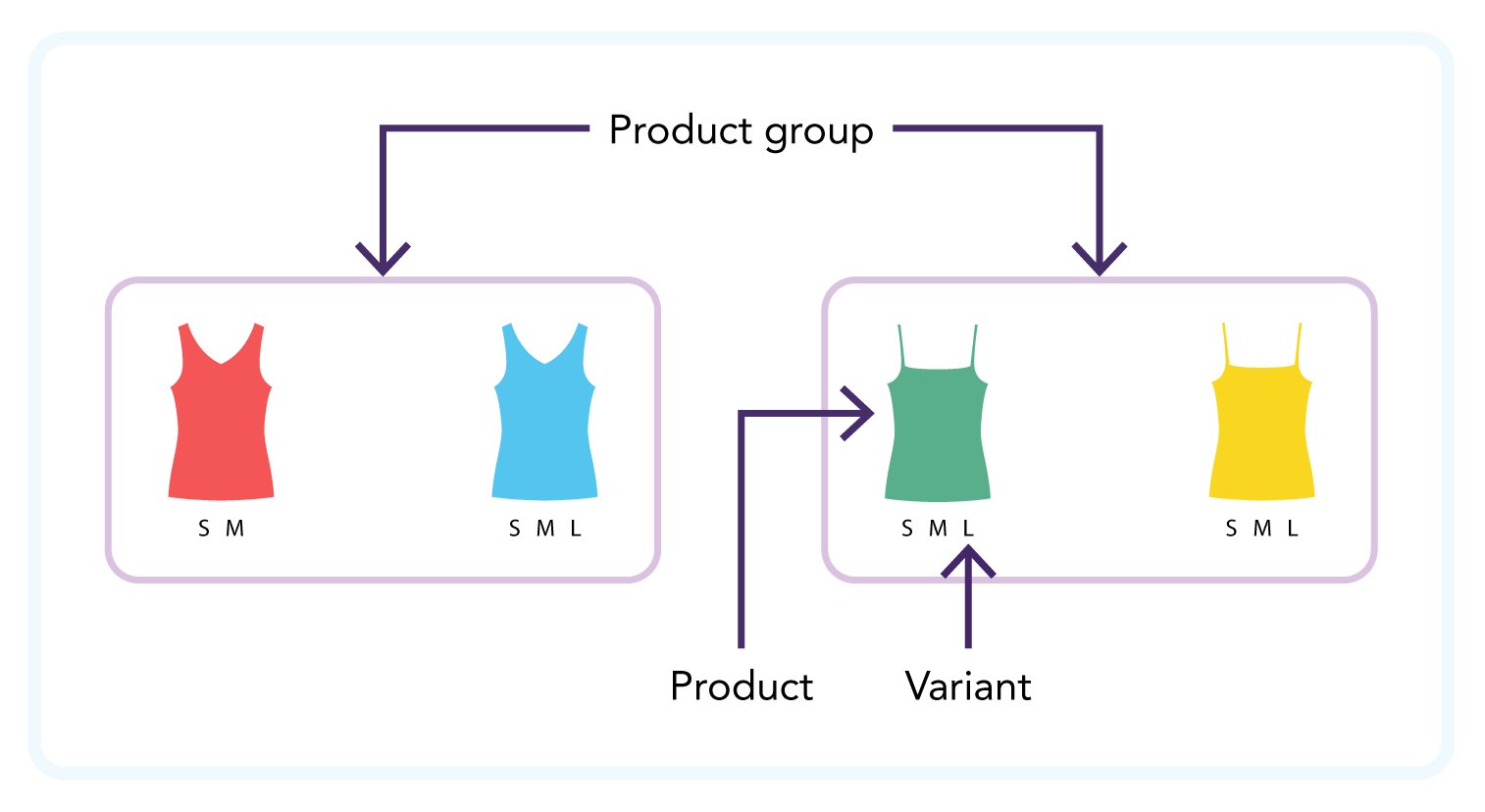
Example 1
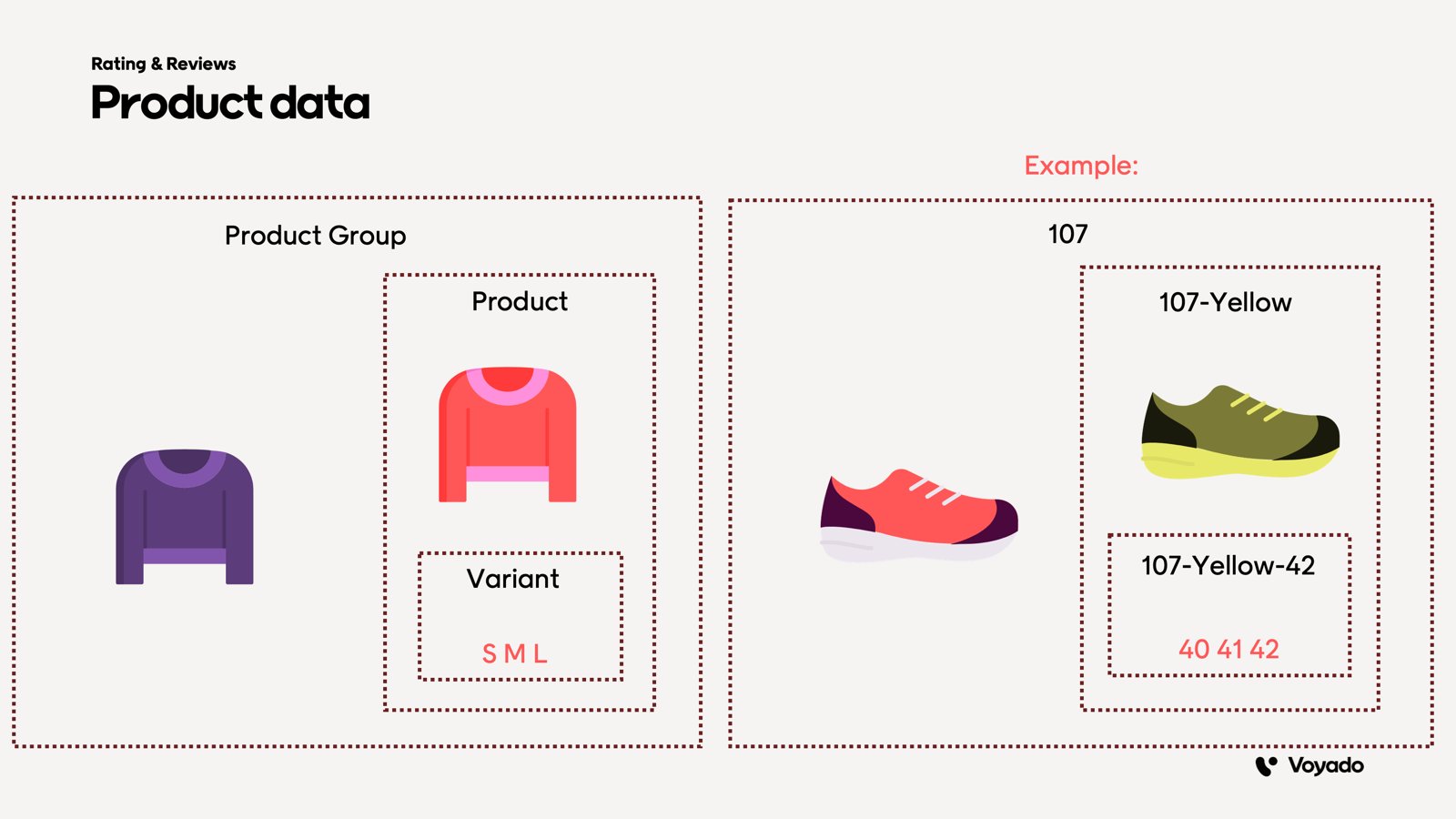
Example 2
Field Reference
Script Installation
The Ripple script is the client-side JavaScript snippet installed to render the reviews interface and capture user-submitted content. It is configured with product hierarchy identifiers so reviews can be attached and aggregated to the correct items. The Ripple script is what renders the onsite rating widgets, review submission forms, and aggregate displays. When installing the Ripple script on the storefront, three values must be set manually:product-group-idproduct-idproduct-variant-id
reviewGroupId— Set by Customer Engagement based on the above dataproductFeedId— Set via configuration based on which level you want to use as the key in the product feed
The productFeedId
The value ofproductFeedId is the ID used to look up product data (images, metadata, and so on) in the Customer Engagement product feed.
The productFeedId value used must match the ID used as the key in the product feed for enrichment to work.
There are two separate places where productFeedId is used, serving different purposes:
For enriching a completed review
When a review is submitted and sent to Engage, theproductFeedId value will be set to either:
- “productGroupId”
- “productId”
- “productVariantId”
For mapping a receipt
When a receipt is imported into Customer Engagement to trigger a “request review” email, theproductFeedId value is used to tell Customer Engagement how to map receipt line items to the product feed, so it knows which product data to use when enriching the review request email.
In this case, productFeedId can have one of these values:
- “productGroupId”
- “productVariantId”
Uses of productFeedId value
Verified Buyer
For Customer Engagement to confirm that a review has a purchase connected to it, theproductVariantId value for the review must match the sku value on the receipt. This is the assumed mapping for verified-buyer checks.