

Setting up custom triggers
You can set up custom triggers yourself in Config Hub (the Customer Engagement configuration area).
Read more about Config Hub
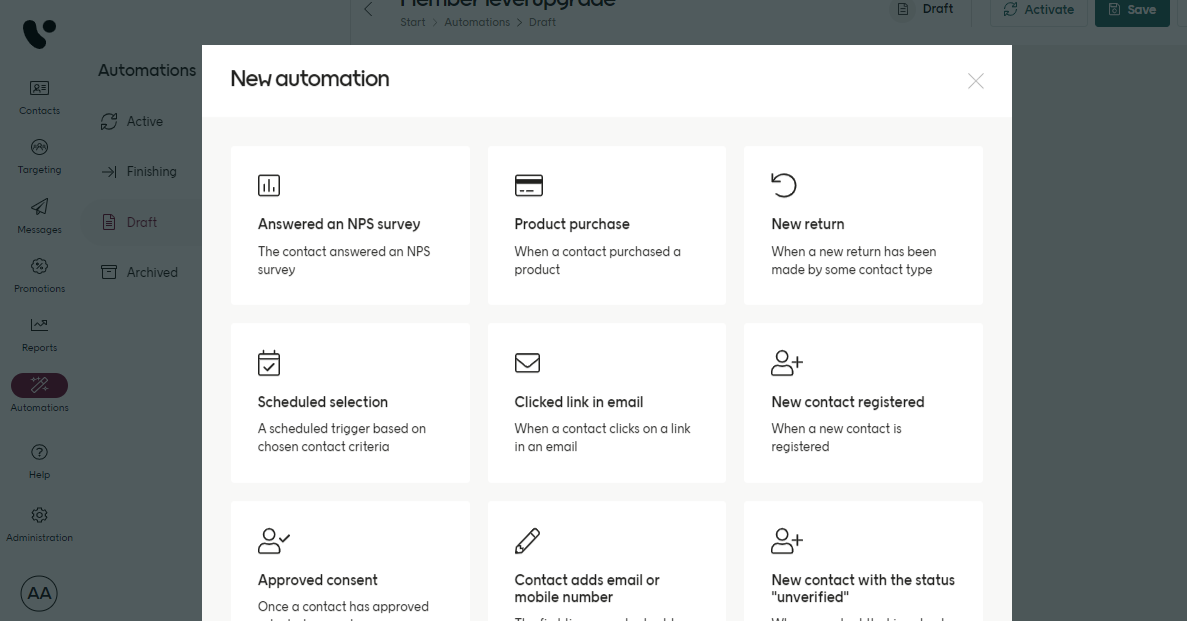
The triggers available
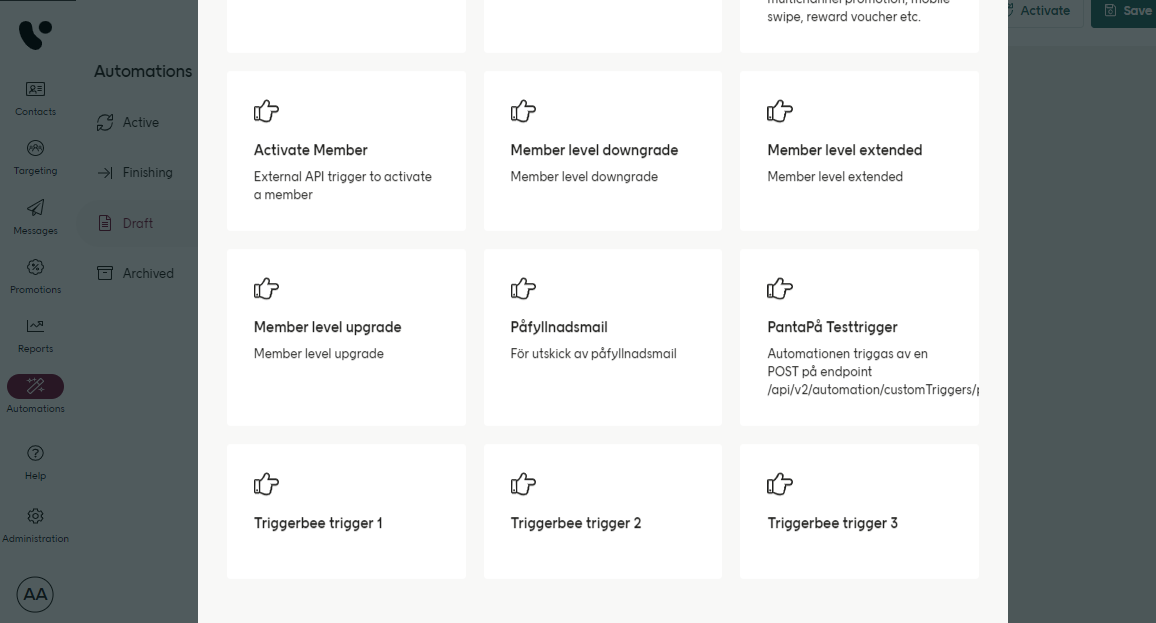
Your custom triggers
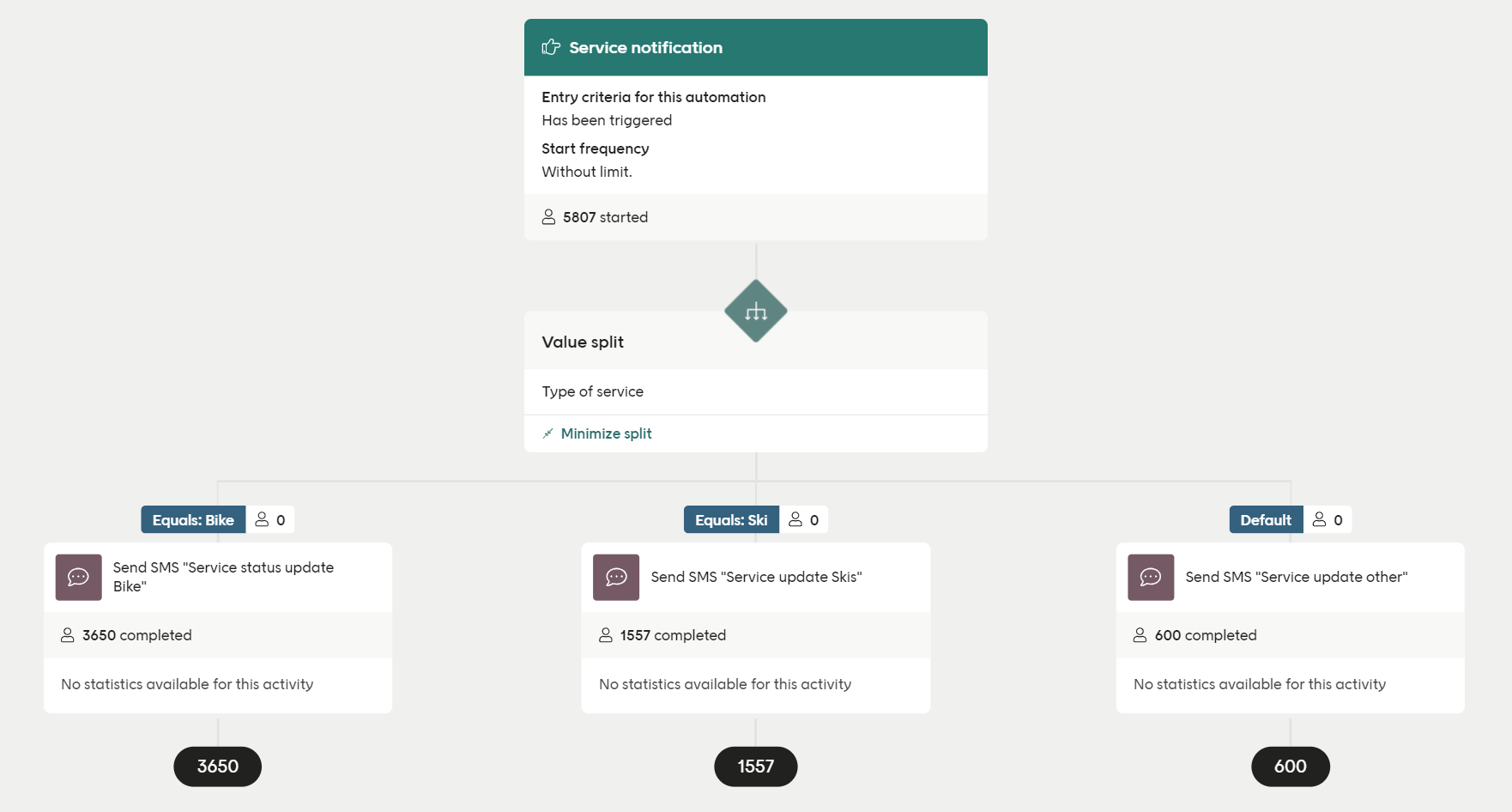
A custom trigger automation
- They are called over the API using
triggerIdplus some identifier (contactIdor another key) - They can receive JSON data (data fields), the structure of which is defined per custom trigger
Custom triggers and Design Studio
When working with Design Studio, you’ll also need to define the JSON schema for the custom trigger so that it can be used. How you do that is described here:
Learn about custom triggers
- Your data source must be set to the
triggerIdin Design Studio - Personalised fields in Design Studio can’t be called unless defined in the custom trigger schema
- Customers cannot edit a custom trigger’s schema in Config Hub once created - this can be done only by the project team and support
- Custom Triggers cannot be removed once created - this can be done only by the project team and support
See about data sources & personalized fields
Using a custom trigger
In Customer Engagement, you can set up as many custom triggers as you want, as long as eachtriggerId is unique.
Some identifying value for the contact also needs to be sent (contactId or whatever is configured). The key used should be decided in collaboration with your Voyado team.
There are a few ways to activate a custom trigger over the API, depending on what information you have:
If you know the contact ID
If you know contact type and the key identifier value
If you know the external contact ID
If you know the personal identity number
Examples of values
Here are some example values for the properties in the endpoints above:
Note that a mobile phone number is sent with the country code (“46” in the example above) but without a
+ at the start.
Payload example
Custom triggers are often used for transactional communication from the e-com or business layer to the end user. In these cases, a payload is often sent. Below is an example of the setup in the backend for a custom trigger that is used to populate a reset password email.Custom trigger payload example
oldAccount flag can be used to filter different kinds of communication or trigger a specific automation. All automations using a certain trigger will listen for any responding API call but only the responding data sent in the payload will start the specific automation.